TensorFlowでGPUを利用する際のcuda周辺インストール手順
環境
C:\Users\silve>wmic os get Caption,Version /format:LIST
Caption=Microsoft Windows 10 Pro
Version=10.0.19043

C:\Users\silve>python --version
Python 3.9.10
1. GPUドライバの確認
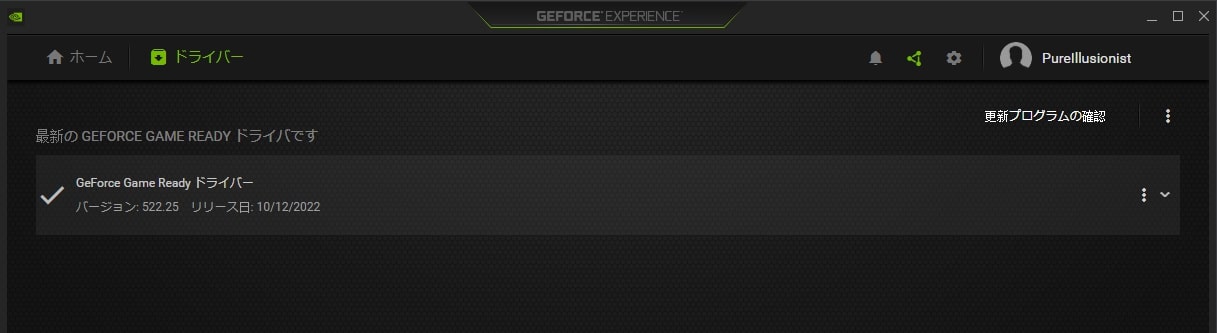
GeForce Experience でも公式サイトからでもなんでもいいので、GPUドライバーを最新にしておく。
C:\Users\silve>nvidia-smi
+-----------------------------------------------------------------------------+
| NVIDIA-SMI 522.25       Driver Version: 522.25       CUDA Version: 11.8     |
|-------------------------------+----------------------+----------------------+
・
・
2. 諸々のインストール
2.1 インストールしていくもの
- Build Tools for Visual Studio 2022
- CUDA Toolkit -> 11.7.1
- cuDNN -> 8.5
- zlibwapi.dll
2.2 Build Tools for Visual Studio 2022
https://visualstudio.microsoft.com/ja/downloads/
- 下の方にある “Visual Studio 2022用のツール” -> ダウンロード
- exeファイルを実行
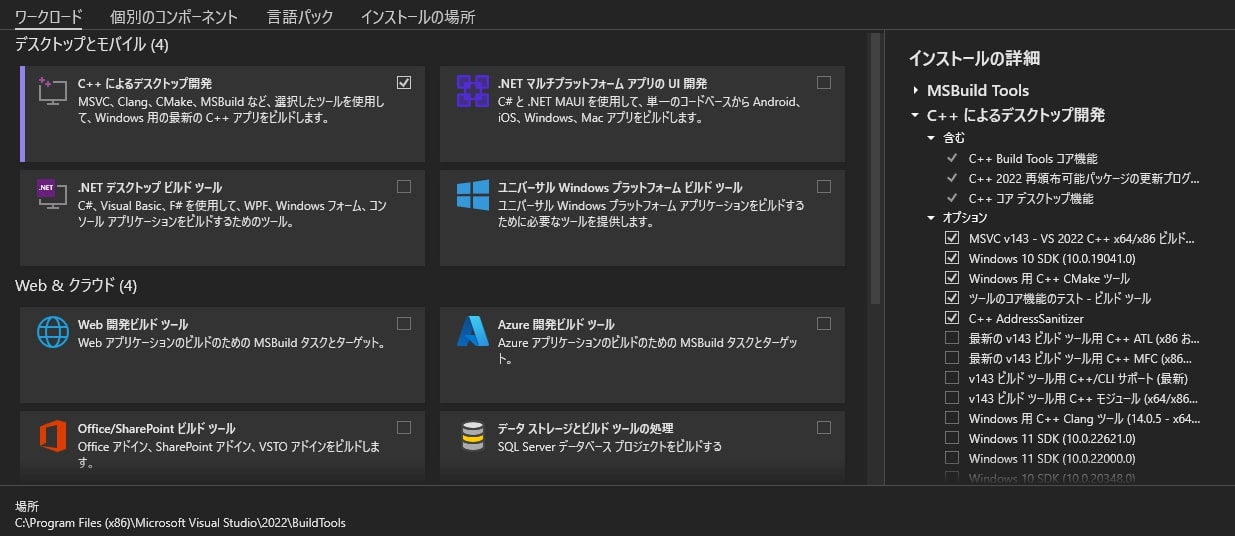
- “C++ によるデスクトップ開発” のみチェックを入れてインストール
- おわり
2.3 CUDA Toolkit
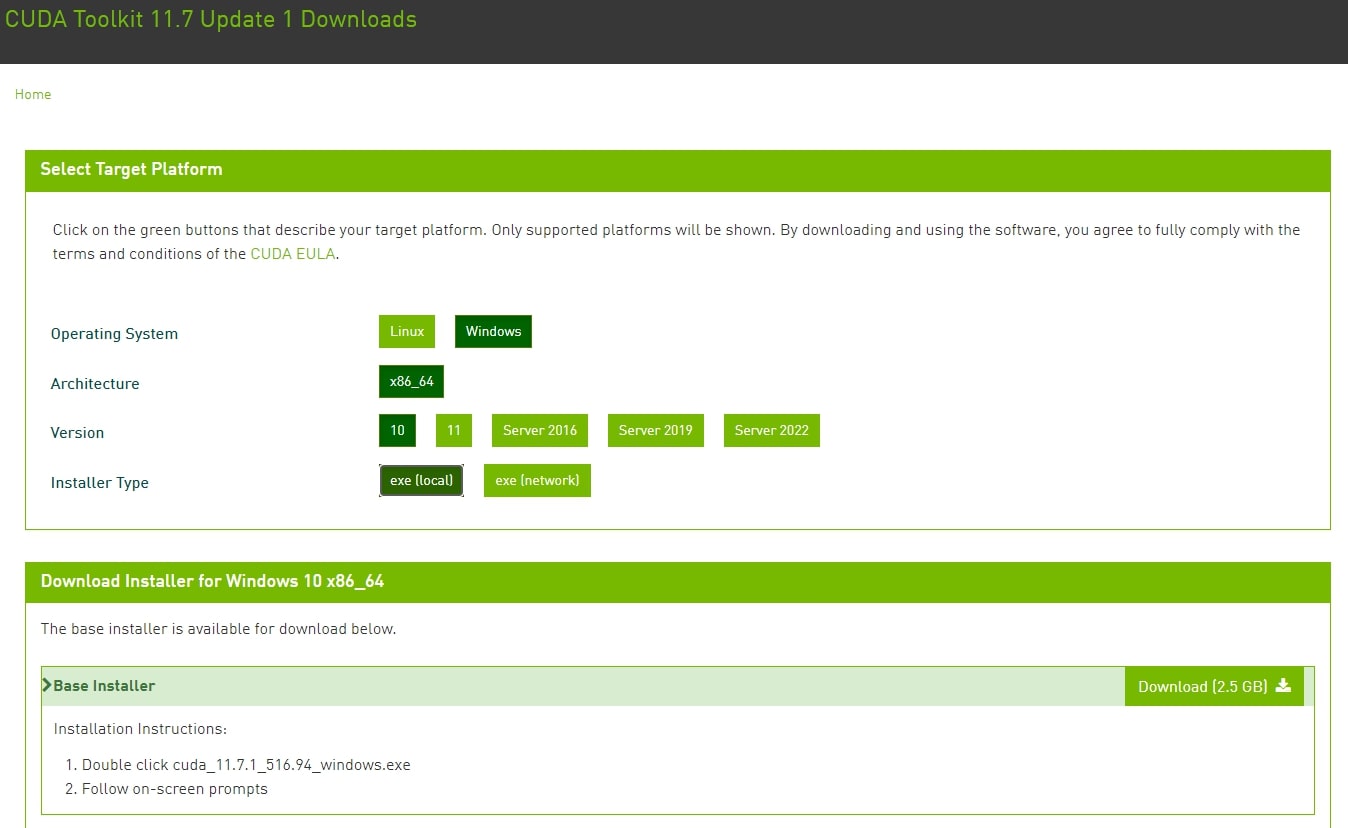
- CUDA Toolkit 11.7.1 (August 2022) -> クリック
- Windows -> x86_64 -> 10(windowsのversion) -> exe[local] -> ダウンロード
- exeファイル実行
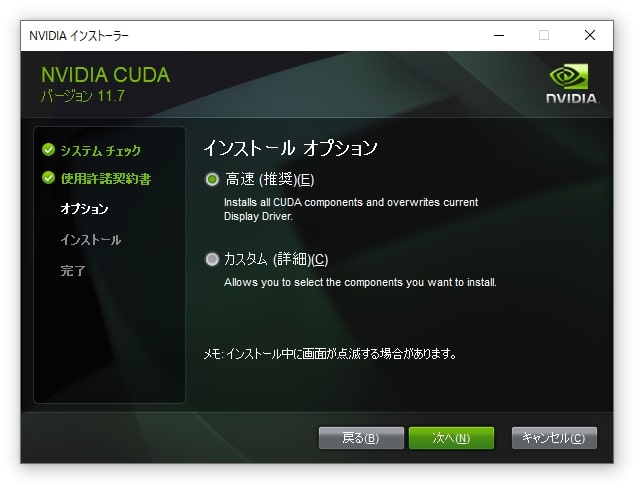
- ディレクトリ変更なし、高速でOK🙆♀️
path確認
C:\Users\silve>where nvcc
C:\Program Files\NVIDIA GPU Computing Toolkit\CUDA\v11.7\bin\nvcc.exe- おわり
2.4 cuDNN
https://developer.nvidia.com/cudnn
- “Download cuDNN”
- Join now / Login -> 出てくる質問に回答
- “Archived cuDNN Releases”
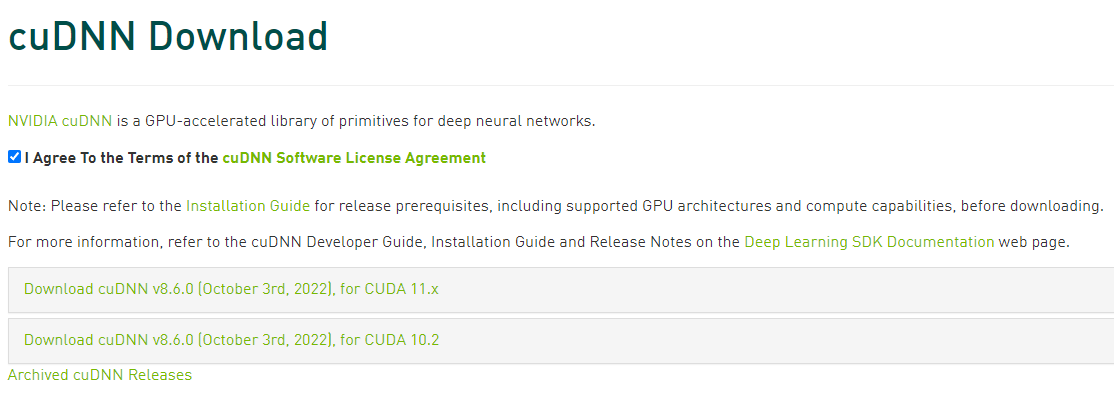
- “NVIDIA cuDNN v8.5.0 for CUDA 11.x” -> “Local Installer for Windows (Zip)”
- zipを解答し、bin,include,lib があるか確認
cudnn-windows-x86_64-8.5.0.96_cuda11-archive
├ bin
├ include
└ lib- 先にインストールしたToolkitの方のディレクトリにも、bin,include,libがあるので解凍したcuDNNのbinの中身をToolkitのbinにコピペする。のをそれぞれのフォルダでやる。
v11.7
├ bin
├ computer-sanitizer
├ extras
├ include
├ lib
・
・
path確認
C:\Users\silve>where cudnn64_8.dll
C:\Program Files\NVIDIA GPU Computing Toolkit\CUDA\v11.7\bin\cudnn64_8.dll- おわり
2.5 zlibwapi.dll
https://docs.nvidia.com/deeplearning/cudnn/install-guide/index.html#install-zlib-windows
- “ZLIB DLL” -> ダウンロード -> 解凍
- zlibwapi.dll -> Toolkitのbinにコピペ
zlib123dllx64
└ dll_x64
  ├ demo
  ├ zlibvc.sln
  ├ zlibwapi.dll
  ├ zlibwapi.exp
  └ zlibwapi.lib
↓
v11.7
├ bin
・ ├ cudart64_110.dll
・ ├ cudnn64_8.dll
・ ├ cusolver64_11.dll
  ├ nvcc.exe
  ├ zlibwapi.dll
  ・
・- おわり
2.6 GPUが認識されているか確認
C:\Users\silve>python
Python 3.9.10 (tags/v3.9.10:f2f3f53, Jan 17 2022, 15:14:21) [MSC v.1929 64 bit (AMD64)] on win32
Type "help", "copyright", "credits" or "license" for more information.
>>> from tensorflow.python.client import device_lib
>>> device_lib.list_local_devices()
2022-10-18 00:17:58.765098: I tensorflow/core/platform/cpu_feature_guard.cc:193] This TensorFlow binary is optimized with oneAPI Deep Neural Network Library (oneDNN) to use the following CPU instructions in performance-critical operations:  AVX AVX2
To enable them in other operations, rebuild TensorFlow with the appropriate compiler flags.
2022-10-18 00:17:59.279358: I tensorflow/core/common_runtime/gpu/gpu_device.cc:1616] Created device /device:GPU:0 with 4626 MB memory:  -> device: 0, name: NVIDIA GeForce GTX 1060 6GB, pci bus id: 0000:01:00.0, compute capability: 6.1
[name: "/device:CPU:0"
device_type: "CPU"
memory_limit: 268435456
locality {
}
incarnation: 16629842714336263253
xla_global_id: -1
, name: "/device:GPU:0"
device_type: "GPU"
memory_limit: 4850712576
locality {
  bus_id: 1
  links {
  }
}
incarnation: 16214580628004087428
physical_device_desc: "device: 0, name: NVIDIA GeForce GTX 1060 6GB, pci bus id: 0000:01:00.0, compute capability: 6.1"
xla_global_id: 416903419
]
name: “/device:GPU:0” でGPUが認識されています。何か欠けていると、ここでCPUしか表示されない
雑比較
C:\src\ch5>python cifar10-cnn.py
Downloading data from https://www.cs.toronto.edu/~kriz/cifar-10-python.tar.gz
170498071/170498071 [==============================] - 248s 1us/step
2022-10-17 20:31:50.702891: I tensorflow/core/platform/cpu_feature_guard.cc:193] This TensorFlow binary is optimized with oneAPI Deep Neural Network Library (oneDNN) to use the following CPU instructions in performance-critical operations:  AVX AVX2
To enable them in other operations, rebuild TensorFlow with the appropriate compiler flags.
Epoch 1/50
1563/1563 [==============================] - 114s 73ms/step - loss: 1.5408 - accuracy: 0.4393 - val_loss: 1.1497 - val_accuracy: 0.5881
Epoch 2/50
1563/1563 [==============================] - 118s 76ms/step - loss: 1.1427 - accuracy: 0.5960 - val_loss: 1.0082 - val_accuracy: 0.6397

・
・
E:\ch5>python cifar10-cnn.py
2022-10-17 20:24:16.050633: I tensorflow/core/platform/cpu_feature_guard.cc:193] This TensorFlow binary is optimized with oneAPI Deep Neural Network Library (oneDNN) to use the following CPU instructions in performance-critical operations: AVX AVX2
To enable them in other operations, rebuild TensorFlow with the appropriate compiler flags.
2022-10-17 20:24:16.522915: I tensorflow/core/common_runtime/gpu/gpu_device.cc:1616] Created device /job:localhost/replica:0/task:0/device:GPU:0 with 4626 MB memory: -> device: 0, name: NVIDIA GeForce GTX 1060 6GB, pci bus id: 0000:01:00.0, compute capability: 6.1
Epoch 1/50
2022-10-17 20:24:18.583597: I tensorflow/stream_executor/cuda/cuda_dnn.cc:384] Loaded cuDNN version 8500
1563/1563 [==============================] - 15s 8ms/step - loss: 1.5663 - accuracy: 0.4249 - val_loss: 1.1690 - val_accuracy: 0.5835
Epoch 2/50
1563/1563 [==============================] - 12s 8ms/step - loss: 1.1481 - accuracy: 0.5925 - val_loss: 1.0499 - val_accuracy: 0.6356
・
・Downloading data from https://www.cs.toronto.edu/~kriz/cifar-10-python.tar.gz
170498071/170498071 [==============================] - 14s 0us/step
Epoch 1/50
1563/1563 [==============================] - 18s 6ms/step - loss: 1.5032 - accuracy: 0.4515 - val_loss: 1.2948 - val_accuracy: 0.5397
Epoch 2/50
1563/1563 [==============================] - 9s 6ms/step - loss: 1.1166 - accuracy: 0.6051 - val_loss: 0.9691 - val_accuracy: 0.6606
・
・| i7-8565U | GTX 1060 | Colaboratory(Tesla T4) | |
|---|---|---|---|
| Epoch 1/50 | 114s 73ms/step | 15s 8ms/step | 18s 6ms/step |
| Epoch 2/50 | 118s 76ms/step | 12s 8ms/step | 9s 6ms/step |
1060レベルだとColaboraoryの無料枠にすら勝てなくてちょっと涙出たけど、1060はもう6年前のだしそう考えるとまぁ頑張ってくれてるかも。
CPUよりは断然早いから、ええか…
そろそろ30xxか40xxに買い替えの機運なので替えたらまた計りたい
[参考]
http://radiology-technologist.info/post-1150
https://www.kkaneko.jp/tools/win/tensorflow2.html